LANtools

Management and monitoring software for small and medium-sized networks
From initial setup to troubleshooting: LANtools enable you to efficiently manage, monitor, and analyze smaller infrastructures with R&S®LANCOM devices from a central Windows application. LANconfig supports administrators in configuring devices, while LANmonitor and WLANmonitor provide cross-site monitoring and fast analysis of network and Wi-Fi issues – from individual sites to distributed infrastructures. This makes it easy to handle routine network tasks efficiently and narrow down faults more quickly.
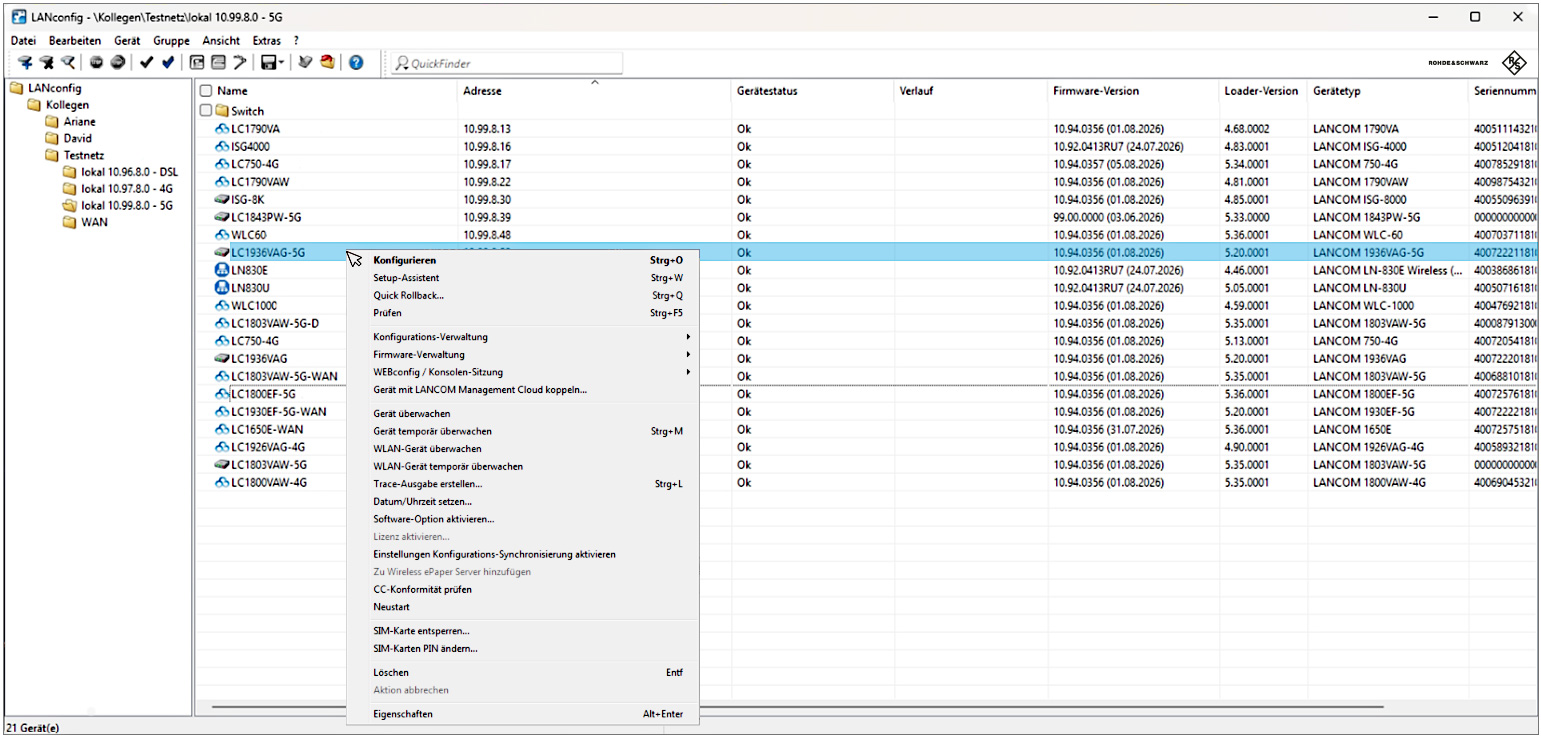
LANconfig
Unified management of the entire infrastructure
Conveniently configure smaller infrastructures with R&S®LANCOM devices via a central management interface. From the rapid initial setup of individual devices to the cross-site distribution of configurations and firmware, LANconfig supports administrators with all key management tasks. Basic features include:
- Automatic discovery of new devices
- Comprehensive setup wizards
- Remote configuration via IP or ISDN
- Integration of Telnet, SSH, and HTTPS configuration
- Context-sensitive help system
- Graphical trace module for creating captures for troubleshooting
- QuickFinder for quickly locating devices and settings
- Powerful IPv4 and IPv6 firewall including rule configuration
- QuickLinks for convenient navigation through deeply nested structures
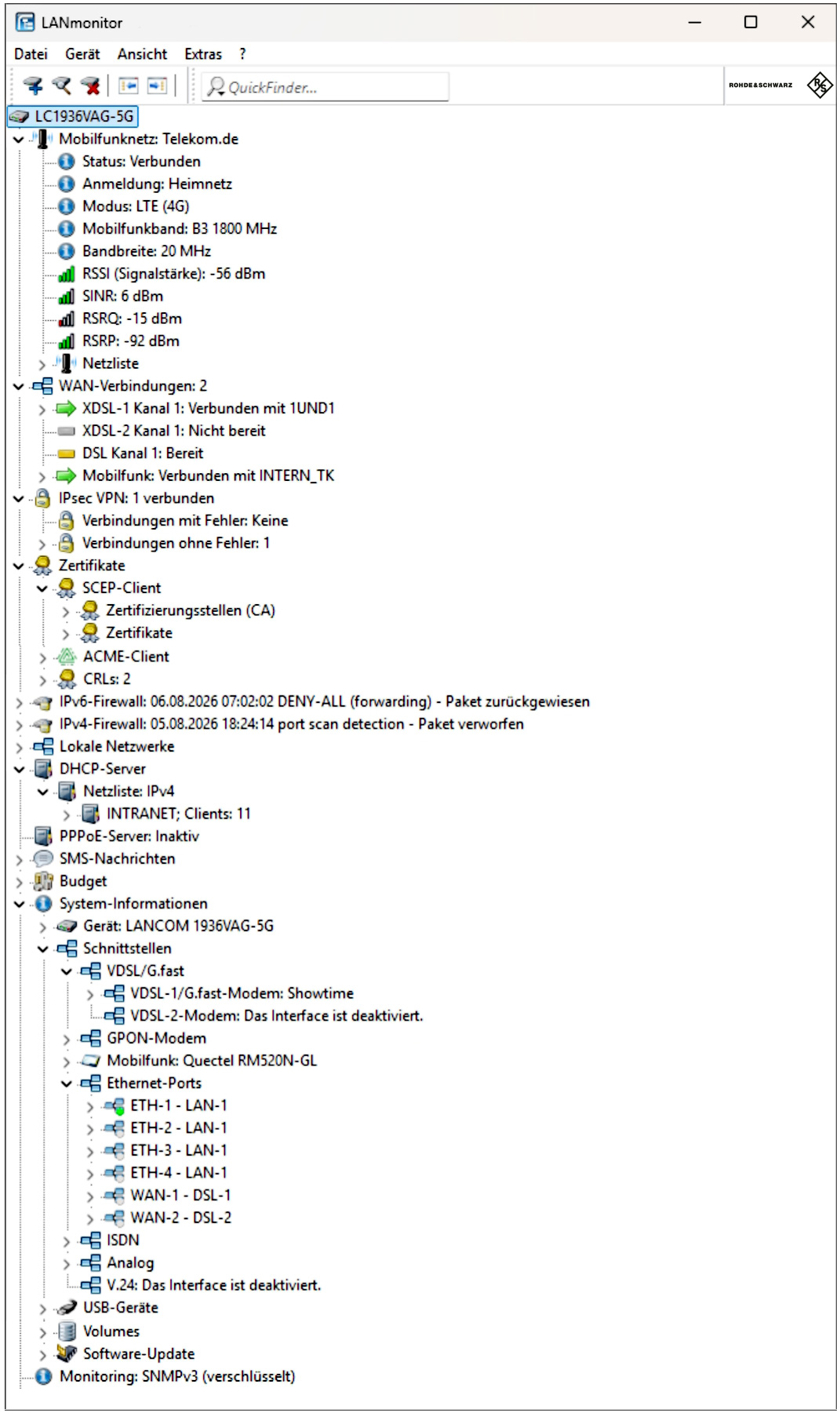
LANmonitor
Centralized real-time network monitoring
Keep an eye on your entire network infrastructure at all times. LANmonitor provides a central overview of connections, interfaces, and the system status of your R&S®LANCOM devices. Performance data, security events, and network activities are displayed in real time, helping you detect anomalies early and pinpoint problems efficiently. Additional features include:
- Display of connections and interfaces
- Monitoring of transmission rates, protocols, and IP addresses
- Display of software version, CPU load, and memory usage
- Tracking of online times and transfer volumes
- Firewall event display and device SYSLOG
- Logging of device activities to a file
- Graphical trace module for creating captures for troubleshooting
Note: The LANmonitor download also includes WLANmonitor.
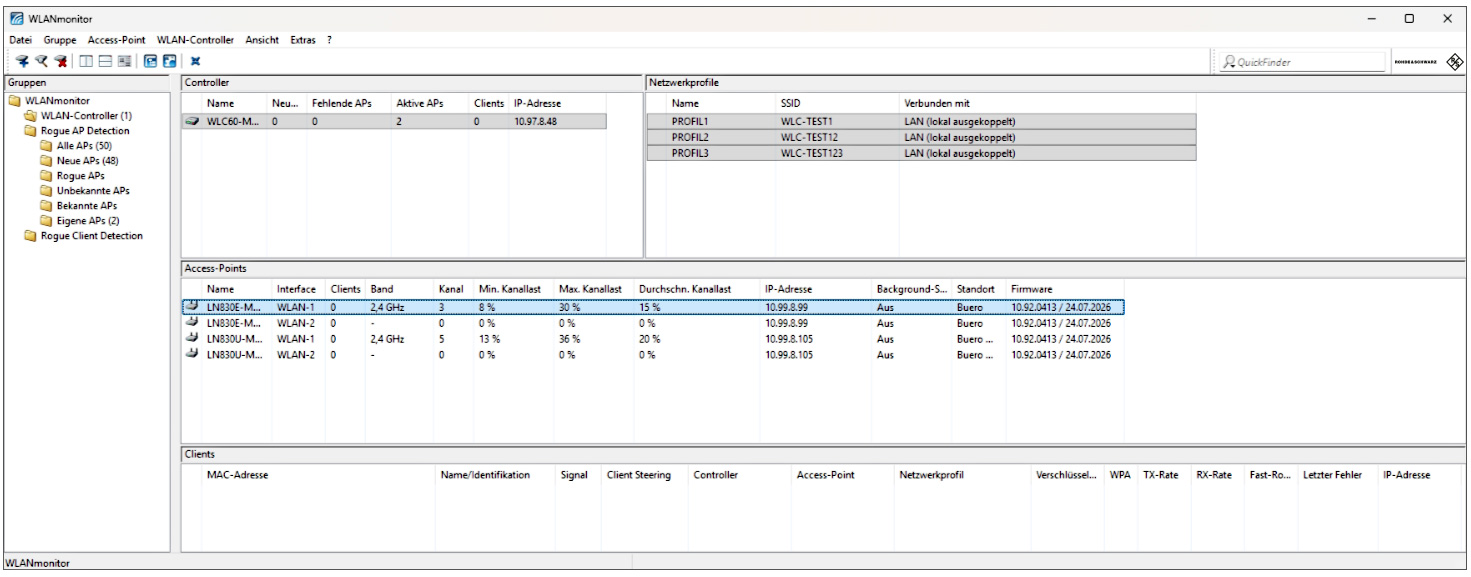
WLANmonitor
Centralized real-time Wi-Fi monitoring
Centrally monitor and analyze your Wi-Fi infrastructure. WLANmonitor provides a clear overview of information about access points, WLAN controllers, and connected clients. Detailed status information, flexible grouping options, and comprehensive analysis functions simplify the management of even large Wi-Fi installations and help administrators quickly diagnose faults. Benefits include:
- Central monitoring of access points, WLAN routers, WLAN controllers, and clients in wireless networks
- Monitoring of extensive parameters such as signal strength, IP address, network profiles in use, and transmission rates
- Convenient split-view interface
- Display of unknown access points and WLAN clients (rogue AP/client detection)
- Monitoring of security settings for all WLAN devices
Note: WLANmonitor is integrated into the LANmonitor download.